 80s
80s 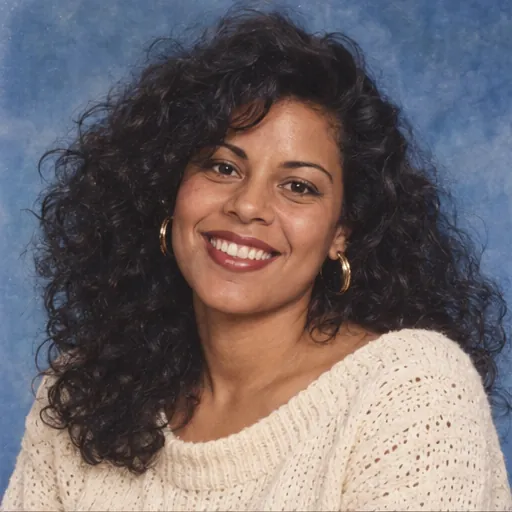
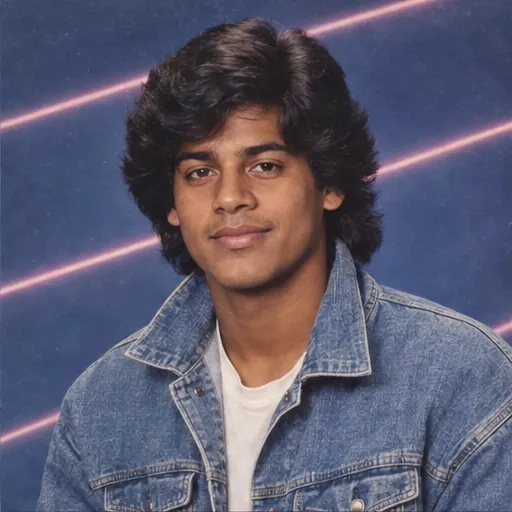
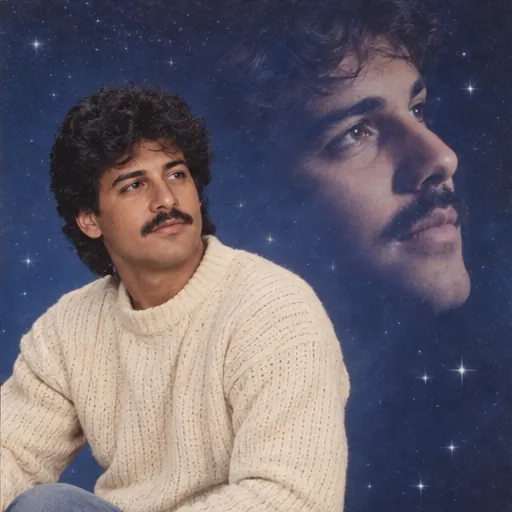
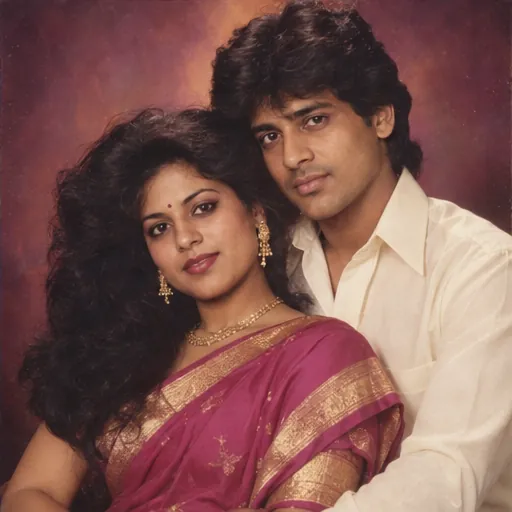
Face the camera in even light. Keep your eyes, hairline and shoulders visible. Skip heavy filters and sunglasses.
A portrait from another decade
Your photo. An 80s portrait.
Give your photo an 80s film finish, or choose a full portrait makeover.
Upload a photo, choose a look, and try it free. No sign-up.
Your photo, your throwback
Photo studio1JPG, PNG, WebP · 10 MB
Adjust details (optional)
0/400 · No prompt needed to get started. 80s film prompt
Edit the supplied photograph with a subtle 1980s color-film finish: gently warm color, soft highlight roll-off, slightly faded blacks and fine natural 35mm grain. Treat this as a photographic color and texture edit, not a newly staged portrait. Preserve every person’s recognizable facial features, skin tone, age, body proportions and expression. Do not beautify, replace, add, remove or merge people. Keep natural skin texture. Make only the styling changes explicitly requested by the selected preset. No added text, logos or watermarks. Content preservation takes priority over optional styling notes: keep the exact same people, poses, gaze, hairstyle, clothing, accessories, objects, background, camera angle and composition. Do not add or remove scene elements, restage the photo, replace the sky or invent missing details. Keep the full original framing as closely as the output aspect ratio allows.
Prompt for use in your favorite image tool.1 free portrait per day · No account needed · Daily capacity applies
Your photo comes firstKeep original content
Your photo goes here
The same photo. An 80s feeling.
Warm film tones and gentle grain. Keep the people and the moment.
After generation, drag the divider to compare with your original.Your uploaded photo stays local until you select Generate.
Your photo, reimaginedFilm finish + six makeoversFree prompts to take with you
Find your kind of throwback.
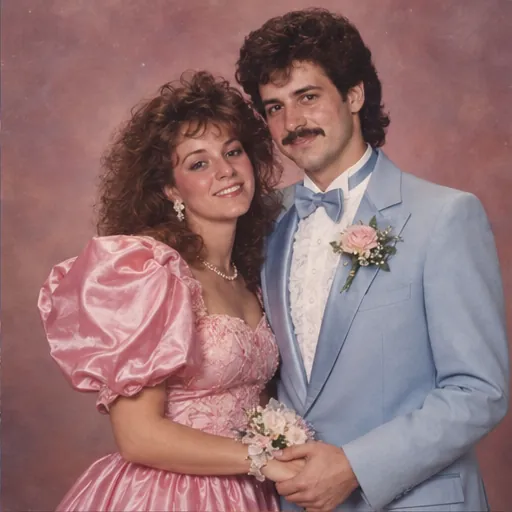
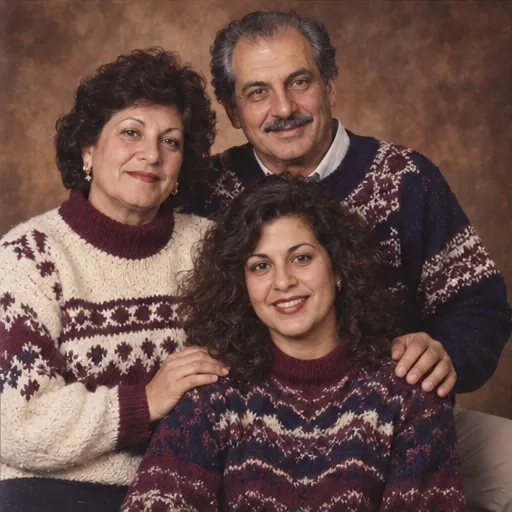
A solo portrait, a prom date, or a wonderfully awkward family photo.
A better photo in. A better throwback out.
Start with a clear reference so the face, not just the fashion, feels like you.
Use one photo with everyone in it. Similar face sizes and lighting help. Make sure each person agrees to the edit.
Compare every face with the original. AI can change features or hands. Choose a simpler style if likeness drifts.
Try the look. Keep what you love.
Start with a free portrait. Buy a pack only when you want more.
$0
1 portrait per connection per day
- No account or card needed
- 1K image, any 80s preset
- Download your portrait
- Limited daily capacity
$4.99
10 portraits · one-time payment
- 50 credits — 5 per 1K portrait
- All studio styles
- No subscription
- Account required for purchases
$9.99
30 portraits · one-time payment
- 150 credits — 5 per 1K portrait
- All studio styles
- No subscription
- Account required for purchases
Free generation is limited, not unlimited. Daily availability resets at 00:00 UTC. Prompts are always free to copy. Pack prices are in USD; purchases open when checkout is available.
Already have an AI tool?
Take the prompt.
Use our original studio prompt with your photo in ChatGPT or Gemini. Tweak the outfit, backdrop or hair to make the look your own.
Classic studio prompt
Create a realistic 1980s studio portrait of the person in the reference photo. Use a mottled blue backdrop, soft beauty lighting, a cream knit sweater, voluminous period hair and subtle 35mm film grain. Preserve every person’s recognizable facial features, skin tone, age, body proportions and expression. Do not beautify, replace, add, remove or merge people. Keep natural skin texture. Make only the styling changes explicitly requested by the selected preset. No added text, logos or watermarks. Keep the original pose, gaze, person-to-person spacing, camera angle and framing. Do not introduce props or change the scene beyond the explicit preset instructions.
Prompt for use in your favorite image tool.Your throwback, in three steps.
1
Bring a photo
Choose a clear, well-lit portrait. No heavy filters, sunglasses or tiny faces in the distance.
2
Choose a decade-defining look
Start with a studio, yearbook or Bollywood portrait. Select a crop for your new picture.
3
Make it yours
Generate your portrait, or take a free prompt to your favorite image tool. Check the details before sharing.
A few things
before your close-up.
More tips in our 80s photo guide.
How do I edit a photo to look like the 80s?+
Upload a clear portrait, choose a look and select a crop. For a full makeover, the AI changes clothing, hair and the setting. If you only want color and grain changes, use a photo filter instead.
Will the result still look like me?+
Our prompts ask the model to preserve your facial features, age and skin tone. AI can still change details, so an exact likeness is not guaranteed. Clear, well-lit reference photos give the model more useful information.
Can I create an AI photo online for free?+
The prompt library is free to copy. When the studio is open, your first portrait is free, limited to one trial per connection each day. Availability is shown beside the generate button. We do not offer unlimited free generation.
Can I use a photo of two people?+
Yes, choose Prom night or Family album and use one clear group photo. Keep every face visible, get permission from the people pictured and check each face in the result.
How are my photos handled?+
Selecting a file previews it in your browser. It is only sent when you start an enabled generation. Generation uses a third-party image service. See the privacy page for the current handling details.